项目Demo地址:https://github.com/SwaggyMacro/CefSharpDemo
通常安装最新版本的CefSharp(根据自己项目需求而定),建议完全关闭VS,然后重新打开(这样可以确保你的引用显示,并有完整的intellisense),否则你可能会发生错误:找不到类型或命名空间名称“Cefsharp”(是否缺少using指令或程序集引用?)
1️⃣让CefSharp在项目二级目录运行
在程序运行目录新建一个文件夹存放CefSharp文件,例如 "resources\chromium"
CefSharp类库文件获取可以使用Nuget安装,安装成功后按F5运行一次程序就会在程序运行目录生成相关库文件了。
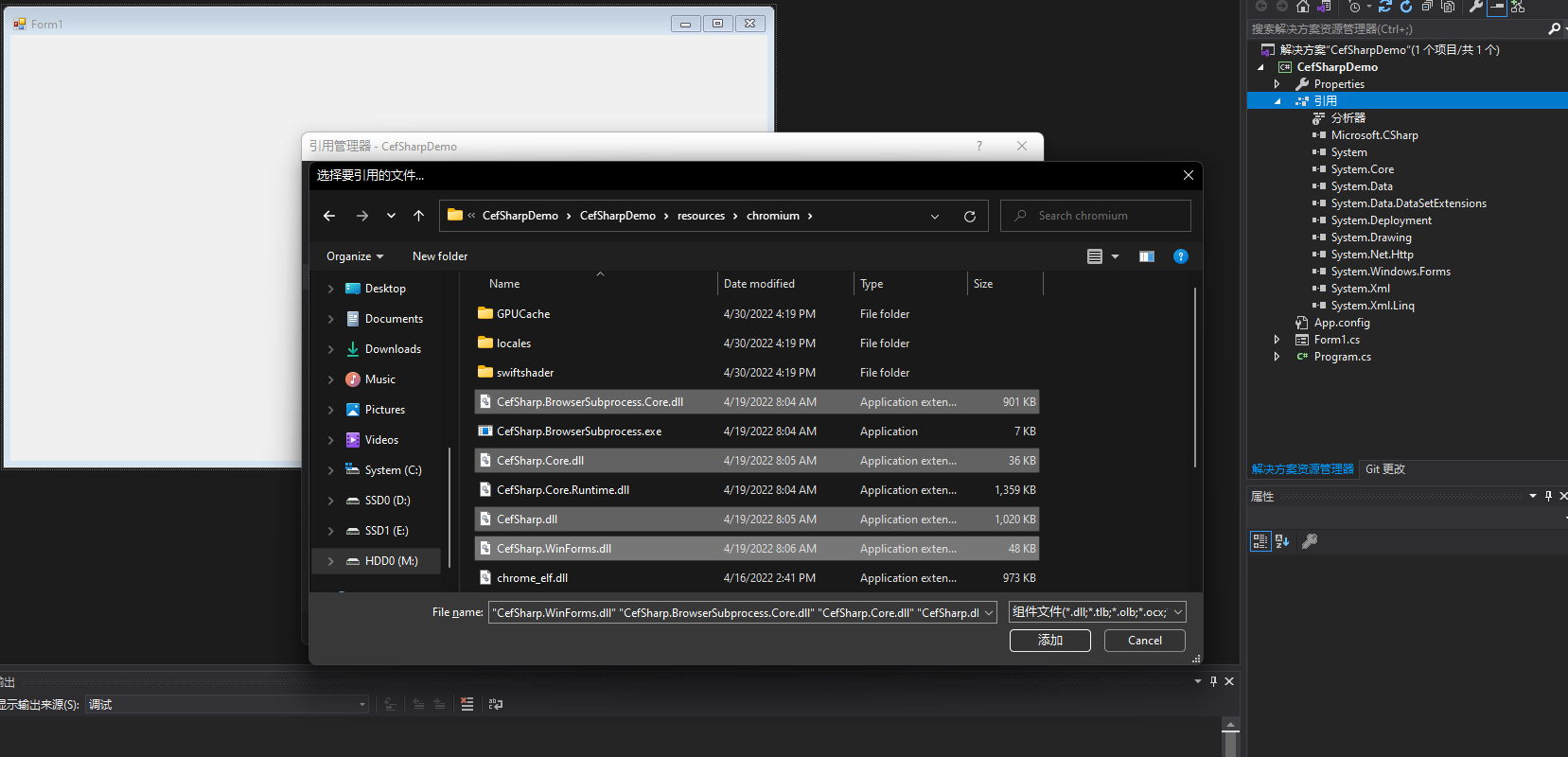
添加CefSharp引用
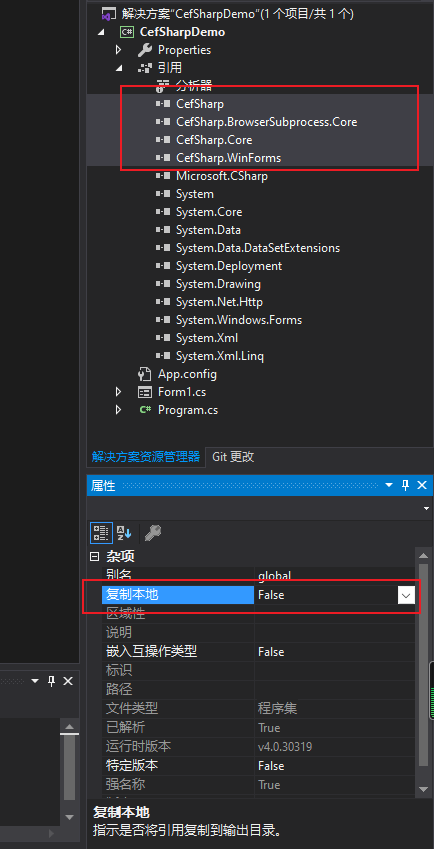
设置引用"复制本地"为False
在"App.config"中添加以下 runtime,其中 "privatePath" 为CefSharp的存放路径
<runtime>
<assemblyBinding xmlns="urn:schemas-microsoft-com:asm.v1">
<probing privatePath="resources/chromium"/>
</assemblyBinding>
</runtime>
如果添加之后重启VS仍然还是报找不到引用的话尝试添加成以下内容
<runtime>
<assemblyBinding xmlns="urn:schemas-microsoft-com:asm.v1">
<dependentAssembly>
<assemblyIdentity name="System.Runtime" publicKeyToken="b03f5f7f11d50a3a" culture="neutral" />
<bindingRedirect oldVersion="0.0.0.0-2.6.10.0" newVersion="2.6.10.0" />
</dependentAssembly>
<dependentAssembly>
<assemblyIdentity name="System.Threading.Tasks" publicKeyToken="b03f5f7f11d50a3a" culture="neutral" />
<bindingRedirect oldVersion="0.0.0.0-2.6.10.0" newVersion="2.6.10.0" />
</dependentAssembly>
</assemblyBinding>
<assemblyBinding xmlns="urn:schemas-microsoft-com:asm.v1">
<probing privatePath="resources/chromium"/>
</assemblyBinding>
</runtime>
- 在程序入口处添加初始化Cef函数
/// <summary>
/// 初始化Cef配置
/// </summary>
[MethodImpl(MethodImplOptions.NoInlining)]
private static void InitializeCef()
{
var settings = new CefSettings
{
BrowserSubprocessPath = browser,
LocalesDirPath = locales,
ResourcesDirPath = res
};
Cef.Initialize(settings);
}
初始化Cefsharp
lib、browser、locals、res的路径填你存放的路径,这里我存放在"resources\chromium\"
private static void Main()
{
lib = Path.Combine(AppDomain.CurrentDomain.BaseDirectory, @"resources\chromium\libcef.dll");
browser = Path.Combine(AppDomain.CurrentDomain.BaseDirectory, @"resources\chromium\CefSharp.BrowserSubprocess.exe");
locales = Path.Combine(AppDomain.CurrentDomain.BaseDirectory, @"resources\chromium\locales\");
res = Path.Combine(AppDomain.CurrentDomain.BaseDirectory, @"resources\chromium\");
var libraryLoader = new CefLibraryHandle(lib);
var isValid = !libraryLoader.IsInvalid;
if (isValid)
{
InitializeCef();
}
Application.EnableVisualStyles();
Application.SetCompatibleTextRenderingDefault(false);
Application.Run(new Form1());
}
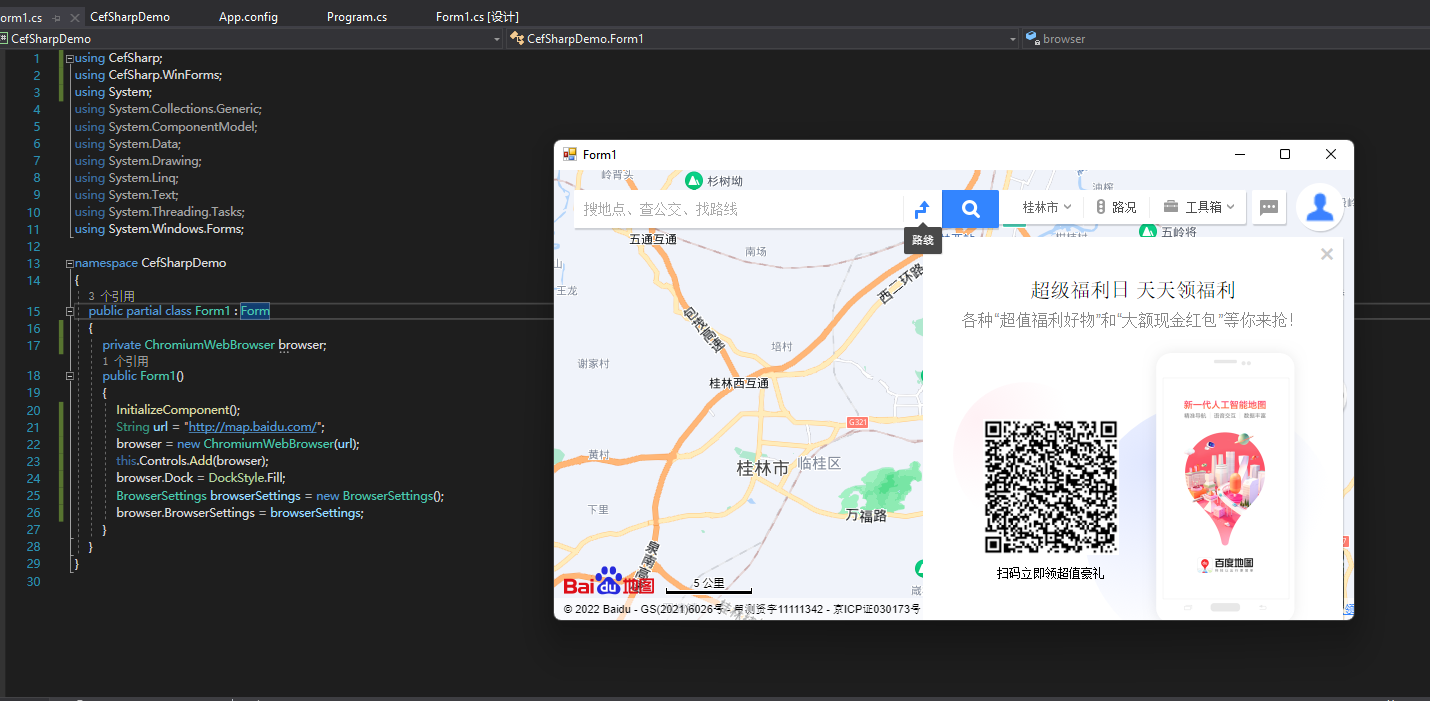
在调用CefSharp的窗口类实例化ChromiumWebBrowser类即可
String url = "http://map.baidu.com/";
// Initialize cef with the provided settings
// Create a browser component
browser = new ChromiumWebBrowser(url);
// Add it to the form and fill it to the form window.
this.Controls.Add(browser);
browser.Dock = DockStyle.Fill;
// Allow the use of local resources in the browser
BrowserSettings browserSettings = new BrowserSettings();
browser.BrowserSettings = browserSettings;
2️⃣ JavaScript交互
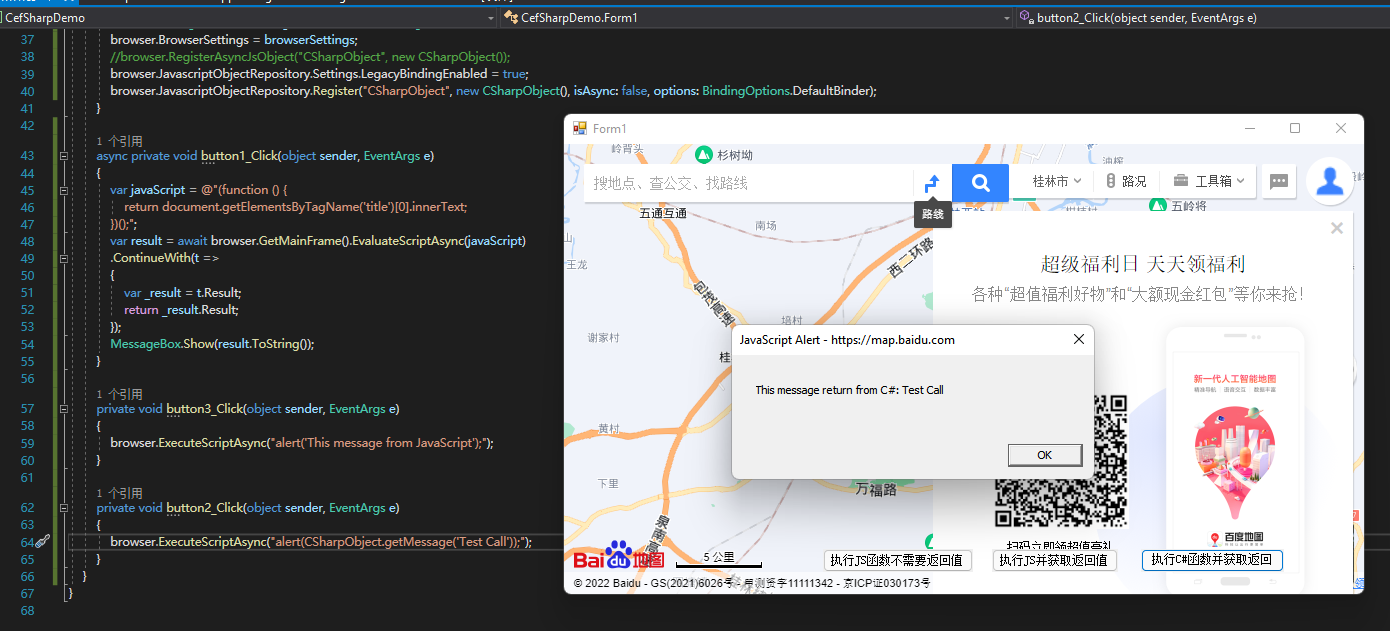
C# 调用JS函数不获取返回值
browser.ExecuteScriptAsync("alert('This message from JavaScript');");

C# 调用JS函数并获取返回值
建议是最好用await,或者你可以把代码写在ContinueWith里面。
async private void button1_Click(object sender, EventArgs e)
{
var javaScript = @"(function () {
return document.getElementsByTagName('title')[0].innerText;
})();";
var result = await browser.GetMainFrame().EvaluateScriptAsync(javaScript)
.ContinueWith(t =>
{
var _result = t.Result;
return _result.Result;
});
MessageBox.Show(result.ToString());
}

JavaScript调用C#函数 传参+返回
首先在C#新写一个类给JS调用
public class CSharpObject
{
public string getMessage(string msg)
{
string ret = $"This message return from C#: {msg}";
return ret;
}
}
然后把写好的类实例化注册给Browser,如果是CefSharp的版本比较老的话可能要用注释掉的那一行来注册对象。
browser.JavascriptObjectRepository.Settings.LegacyBindingEnabled = true;
//browser.RegisterAsyncJsObject("CSharpObject", new CSharpObject());
browser.JavascriptObjectRepository.Register("CSharpObject", new CSharpObject(), isAsync: false, options: BindingOptions.DefaultBinder);
JS调用C#函数
方便写我直接在C#调用JS来调用C#的函数了(有点拗口哈哈哈)
browser.ExecuteScriptAsync("alert(CSharpObject.getMessage('Test Call'));");